
For Booi login, open booi.com and choose Sign in. You do not need to make a deposit or register again to access an existing account. This independent guide does not take passwords or verification codes.
In short. Booi's sign-in is on booi.com; this guide never asks for your details.
- Choose Sign in and use the method you registered with: phone or email, Google or Telegram.
- New account: nickname, email, password and currency. Pick CAD for Canadian dollars.
- Forgot your password? Use the recovery link on the sign-in form; the reset goes to your registered email.
- Confirm your email and phone in the profile before the first withdrawal.
Which button takes me to my existing account?
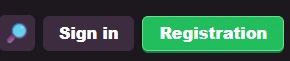
Use Sign in, not the green Registration button beside it. The image below shows the official English header. On a smaller screen look for the same account actions rather than relying on their position.
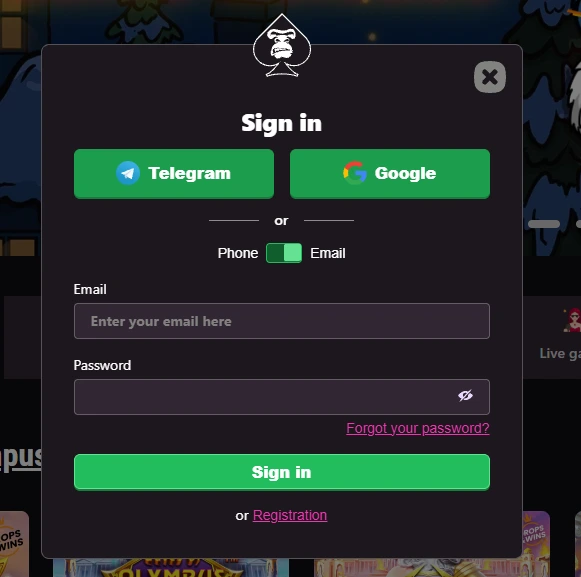
Use the same sign-in method you used at registration. The Phone / Email switch changes the identifier; Telegram and Google have separate buttons. For an email login, the recovery link is labelled “Forgot your password?”.
Before using a saved password, check the address. Booi ends in an “i”; Boo Casino is a different brand. If your password manager only offers a password for Boo, check the sender and domain on your original registration message. Do not paste that password into a different site's form to see if it works.
How do I sign up for a Booi account in CAD?
Only choose Registration if this is your first account. Section 7.3 of Booi's terms lists a nickname, email address, password and a choice of currency. Select CAD if you want to track your balance and transactions in Canadian dollars.
The sign-up screen asks for country and currency before you continue. The screenshot shows the email route; the newsletter checkbox and bonus code are separate from acceptance of the terms.
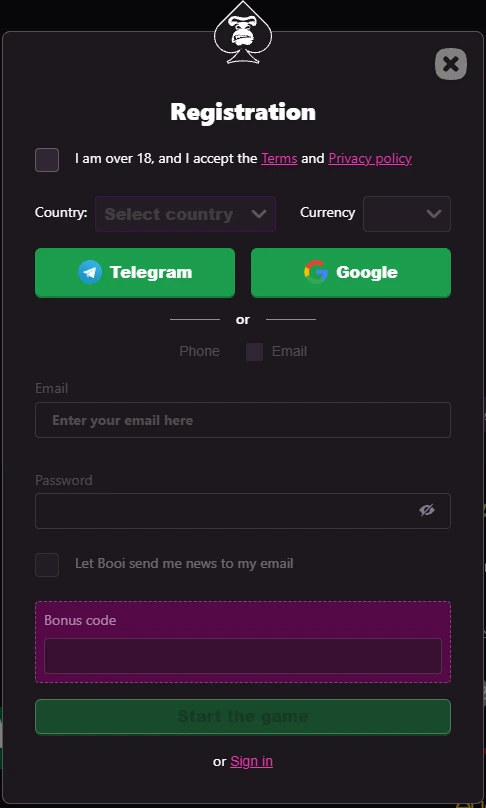
- Use an email inbox that you control. A mistyped address can leave you unable to receive recovery instructions.
- Choose a nickname and a unique password. Save the login against the official domain, not the review page you followed to get there.
- Check the currency before confirming. Under §9, a profile can have more than one currency but only one is active for transactions at a time.
- Complete your personal details accurately. Section 7.5 lists name, date of birth, gender, phone number, country of residence and city. A nickname does not replace your legal name here.
If the service shows a location restriction, stop there. Opening another account with a different province is not an account-access fix.
Does signing in mean my account is verified?
No. Being able to open the lobby is separate from confirming your email address and phone number for a withdrawal. Check both contact details in your account before requesting payment. Follow the operator's instructions for any confirmation still outstanding.
If an old number is still attached, contact support from your registered email instead of asking the current holder for a code. Identity checks are separate again: see the account verification guide for the distinction between confirming contact details and proving account ownership.
How do I reset a forgotten Booi password?
Start the recovery process from the official sign-in form, using the email linked to your account. If the message is missing, check spam, filtered folders and any other inbox you might originally have used before requesting another one.
If a link has expired, return to the official site to request a fresh message. If you no longer control the inbox, write to [email protected] and explain which contact detail changed. Never send your old password, a new password or a one-time code to support. A password reset is for lost credentials, not for reversing an account closure.
What if the password is right but the account is blocked?
Read the exact notice before changing anything. A page that never loads, a rejected password and a notice that Booi has restricted your account require different responses. For loading errors, start with the site access checklist.
If the notice mentions verification, respond to the specific request through the official account channel. Under §7.7, the normal response window for additional verification is seven calendar days after notification unless Booi specifies a different period. If Booi has made a blocking or closure decision, §10.4 instead gives 14 calendar days to appeal under §25. Keep the notice and its date.
For an overview of the operator and this site's role, return to the independent Canadian review.
Sources checked 24 November 2026: Booi desktop header, sign-in and registration screens, and Terms and Conditions v6.4, §§7–11. Sign-in and registration forms are pictured; the reset email itself was not captured.
Booi login: common questions
How do I log in to Booi Casino from Canada?
Open booi.com, choose Sign in and use the method you registered with: phone or email, Google or Telegram. If you forgot the password, use the recovery link on the sign-in form; the reset is sent to your registered email.
Should I register again if my reset email does not arrive?
No. Check the registered inbox and contact support. Sections 7.2 and 8 prohibit opening a second account without prior approval.
Can I change the active currency without a new login?
Section 9 allows multiple currencies in one account, with one active at a time. A second registration is not the way to switch currencies.
Who handles a lost phone number?
Contact Booi support from your registered email and explain that the old number is no longer yours. Do not ask someone else to relay a verification code.
What should I include when reporting a sign-in error?
Give the time, time zone, exact wording and whether the page loaded before the error. Remove personal details from screenshots. Never include a password or reset link.
What if I receive a reset message I never requested?
Do not use the link. Open the official domain yourself. If you suspect someone accessed the account, notify Booi promptly; section 7.9 addresses unauthorized access.